Computer Addressing or Selection
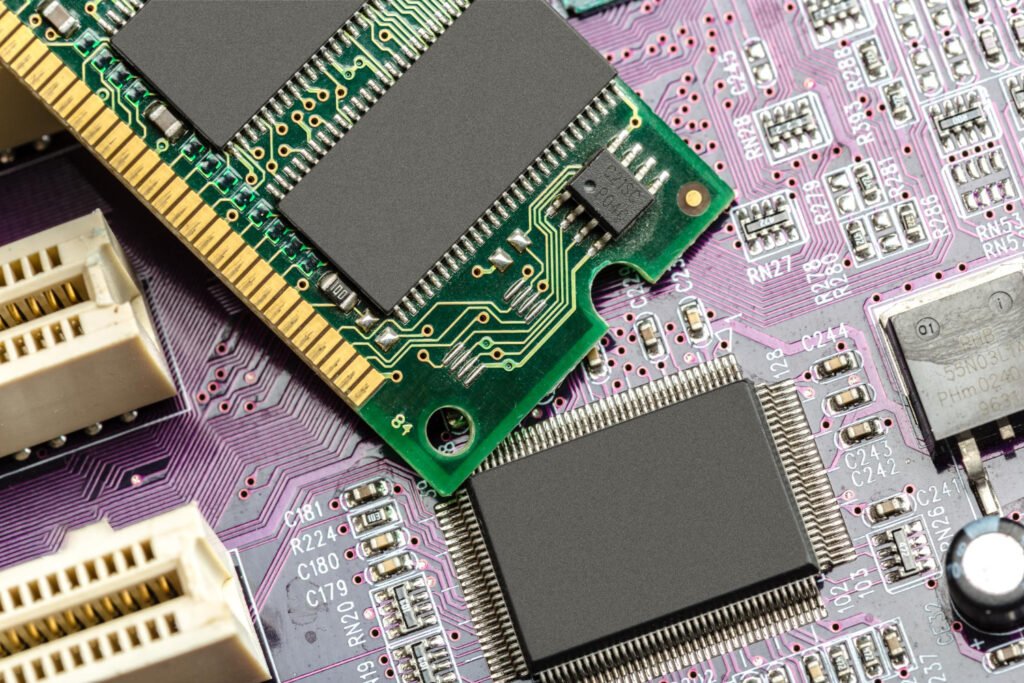
Módulo de memoria sobre una placa electrónica, con chips, contactos y pistas que conectan sus componentes.
All the blocks that make up a computer can communicate independently with the CPU through the same address bus. These blocks remain “asleep,” meaning disabled, until the CPU instructs one of them to “wake up,” meaning it enables it. To do this, the CPU addresses them through the address bus. Each block in a computer, except the CPU, has an assigned address. This address must be different for each unit. In a city, every citizen has a specific place of residence. Therefore, to send someone a notification, their address must be included in the message. Furthermore, the address must precede the message and must not be confused with it. That is why information goes inside an envelope and the address goes on the outside. Any member of the community may hold the envelope, but only the citizen whose address matches the one on the envelope will open it and read the information.
Returning to the computer, when the CPU wants to communicate with a particular unit, it places that unit’s address on the address bus. The address bus always reaches all units. Consequently, whenever the CPU places an address on the bus, it is received and checked by all addressable units in the computer. However, only the unit whose address matches the one on the bus establishes communication with the CPU. If the CPU places the hexadecimal value 2E, or binary 00101110, on its 8-bit address bus, only the unit with address 2E will be enabled. At that point, the CPU can send it data or request information, establishing communication. This process is known as addressing or selection. We will use addressing when referring to memory addresses, and selection when referring to other types of units, such as controllers or input/output ports.
Example of Selecting an Input/Output Port
Suppose we have a computer with an 8-bit address bus—that is, eight lines or wires carrying addresses—and an independent data bus, also 8 bits wide.
We also have an output port, or circuit for connecting peripherals, whose hexadecimal address is 35 (binary 00110101), which controls a printer.
At a particular point during data processing, the CPU wants to send a character to the printer controller so that it can subsequently be printed. First, the CPU selects the controller whose address is 35. It places the hexadecimal value 35 on the address bus; this value selects the controller.
Next, after a certain time interval, it places the value of the character it wants to send on the data bus. Suppose this is the character A, whose hexadecimal value is 41 (binary 01000001). The controller receives it and then sends the character read from the bus to the printer.
Memory Units
When a component is manufactured in a workshop, the process begins with the arrival of raw material. After being checked and verified, it is properly coded and placed in storage, awaiting further processing or transformation into a finished product. Similarly, when we enter information into a computer, it occupies a memory location or cell. Each of these cells has an address. Whenever the control unit wants to store information, it assigns an address corresponding to a cell and then stores the required information there. Memory is a component capable of storing information. Actual computer memories are divided into cells. Each cell has a specific address. Memories are normally organized as a grid or matrix containing rows and columns. The amount of information a memory can store depends on the number of bits it contains.
Each cell can be addressed by the CPU and consists of eight elementary cells, each of which can hold a value of 0 or 1. In this way, each addressable cell can store 1 byte of information. Remember that 1 byte equals 8 bits.
When studying memories as information-storage units, the following characteristics must be considered:
- Access time. The average of the reading and writing times. A distinction must be made between average access time and maximum access time.
- Read time. The time between the selected address being placed on the bus and the moment when the data or information becomes available at the output.
- Write time. The time between placing the information to be stored at the memory input and the moment when that information is actually stored.
- Capacity. The number of bits the computer can store.
- Information density. The amount of information per unit of volume.
- Volatility. The time it takes for stored information to be lost if the power supply is interrupted.
- Power dissipation. The power consumed by the memory, expressed in milliwatts.
- Cost. The price per bit of stored information.
Types of Main Memory
Ferrite-Core Memories
These consist of small rings or cores made of magnetizable iron oxide, or ferrite, which can take on either of two different magnetization states.
The core has the following properties:
- It becomes magnetized when a magnetic field is applied.
- It remains magnetized even after the magnetic field is removed.
- It can be magnetized in either direction, depending on the direction of the magnetic field.
These properties allow a ferrite core to be defined as a bistable device capable of maintaining a state of 1 (magnetization in one direction) or 0 (magnetization in the opposite direction), depending on the direction of the magnetic field. The significance of this type of memory lies in the important role it played in the early days of computing.